
Chat Face

Chat Zalo

Phone

COMPONENTS AND EQUIPMENT FOR HUMANOID ROBOTS
Office equipment, IT, telecom devices.
Technology development equipment
Industrial automation equipment
Components and accessories for electric vehicles
Measuring instruments
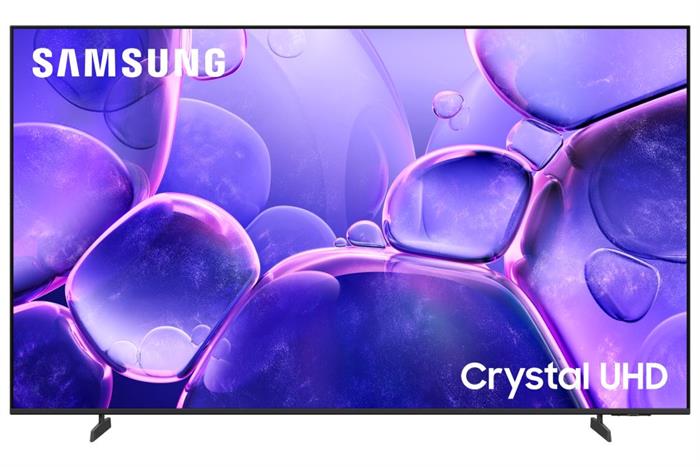


4K UHD resolution delivers images four times sharper than Full HD, offering more realistic and detailed visuals.
PurColor technology expands the color gamut for vibrant, natural color reproduction.
Powered by the Crystal Processor 4K, the TV enhances detail and upscales lower-resolution content to near-4K quality.
Supports HDR10+ and Contrast Enhancer, improving contrast and image depth for a more immersive viewing experience.
Motion Xcelerator ensures smooth motion for action scenes and sports content.
Runs on Tizen OS 2025, providing a fast, intuitive interface with access to a wide range of popular entertainment apps.
Integrated SmartThings enables smart home control and convenient wireless screen mirroring from mobile devices.
Contact support for detailed quote: Hotline: 0386365636 - Mr.Sơn
Buy at Vina Connect Showroom See directions
In today’s digital world, a TV is no longer just for watching broadcasts — it’s an entertainment hub, a lifestyle manager, and a smart connection center. The Samsung Smart TV 4K U8550F is a prime example of this evolution — where technology, design, and convenience come together in perfect harmony.
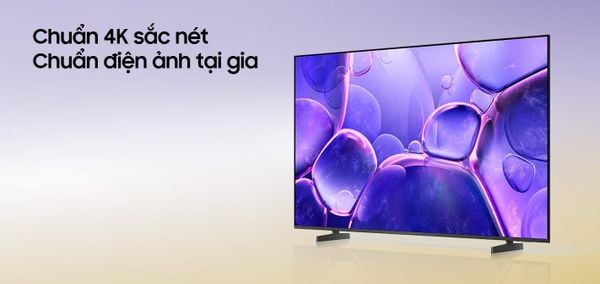
With 4K UHD resolution offering four times the pixels of Full HD, this TV delivers lifelike, sharp, and vivid visuals. Whether it’s movies, sports, or gaming, every detail is rendered with stunning clarity and smoothness.
Powered by the Crystal 4K Processor, all content is upscaled to near-4K quality, preserving natural color tones and enhancing every viewing experience.

PurColor: Expands the color palette for vibrant, true-to-life images.
HDR Technology: Improves contrast, highlighting both bright and dark areas for a balanced picture.
Contrast Enhancer: Adds depth and dimension, creating a more immersive and striking visual effect.
OTS Lite (Object Tracking Sound): Sound follows the motion on screen, creating a sense of real movement.
Q-Symphony: Synchronizes TV and soundbar audio for a richer, more dynamic soundstage.
Adaptive Sound: Automatically optimizes sound based on content type — movies, music, or sports.
Inspired by aircraft engineering, the MetalStream design with ultra-slim metal bezels exudes modern luxury while keeping your focus on the display itself.
The Tizen OS interface is not only smooth but also highly functional:
Daily+: Manage health, work, and daily routines.
Workout Tracker: Track fitness progress with your Galaxy Watch.
SmartThings: Control your entire smart home ecosystem directly from the TV.
Quick Remote: Use your smartphone as a fast and convenient remote control.
Universal Gestures: Control your TV through hand gestures with a compatible smartwatch.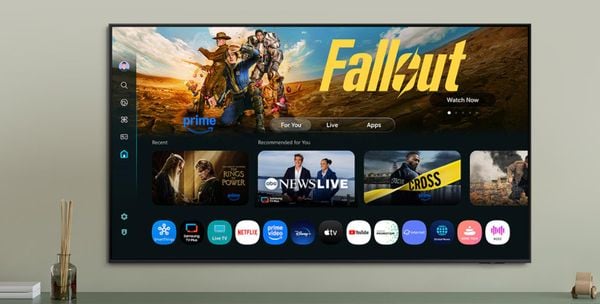
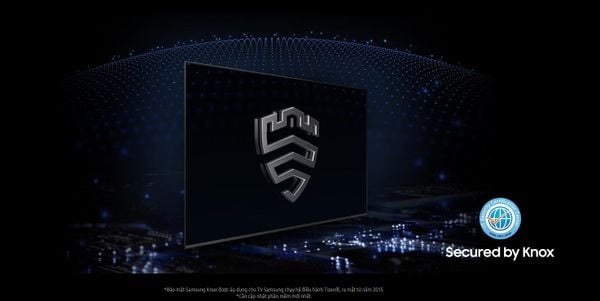
Samsung Knox ensures your sensitive data remains protected, blocking unauthorized access from external devices. Feel safe using your TV for work, web browsing, or managing personal accounts.
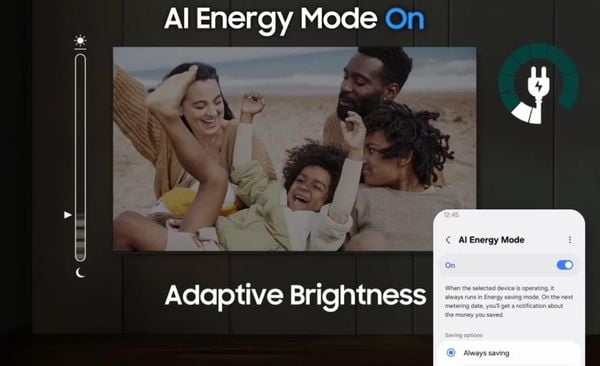
The AI Energy feature automatically adjusts screen brightness based on your environment and viewing habits, reducing power consumption intelligently. Combined with a solar-powered remote, Samsung reinforces its commitment to environmental sustainability in every detail.
Split your screen, move content across Galaxy devices, or share your mouse and keyboard between your TV and computer — all effortlessly through Samsung’s unified ecosystem.
The Samsung Smart TV 4K U8550F is more than just an entertainment device — it’s your intelligent assistant and a symbol of refined living. With elegant design, outstanding display quality, immersive sound, and industry-leading security, it’s the perfect centerpiece for any modern home.
| Category | Detailed Specifications |
|---|---|
| Model | UA43U8550F |
| Type | Smart Crystal UHD 4K TV |
| Screen Size | 43 inches |
| Resolution | 4K UHD (3840 x 2160) |
| Year of Launch | 2025 |
| Processor | Crystal Processor 4K |
| Panel Type | LED – PurColor technology |
| Picture Technologies | HDR10+, Contrast Enhancer, UHD Upscaling |
| Refresh Rate | 60Hz – Motion Xcelerator |
| Operating System | Tizen OS 2025 |
| Audio Technologies | Dolby Digital Plus, Adaptive Sound, Object Tracking Sound Lite (OTS Lite) |
| Speaker Output | 20W (2 channels) |
| Remote Control | SolarCell Remote TM2360E (solar-powered charging) |
| Voice Assistants | Bixby, Google Assistant, Amazon Alexa (Vietnamese supported) |
| Wireless Connectivity | Wi-Fi 5, Bluetooth 5.2 |
| Screen Mirroring | Tap View, Smart View, AirPlay 2 |
| Ports | HDMI x3 (1 eARC), USB x1, LAN, Optical, RF |
| SmartThings Integration | Yes – supports Matter protocol and IoT device control |
| Dimensions (without stand) | 965.5 x 560.3 x 25.7 mm |
| Dimensions (with stand) | 965.5 x 627.6 x 192.3 mm |
| Weight | ~8.4 kg (without stand), ~8.7 kg (with stand) |
| Origin | Vietnam |
| Warranty | 24-month official nationwide warranty |
A. Initial Setup
Installation:
Can be placed on a table using the included stand or wall-mounted with a VESA 200x200 mm bracket.
Avoid humid areas, direct sunlight, or heat-generating devices.
Connection and Initial Configuration:
Plug in the power cord, then turn on the TV using the remote or power button.
Select your preferred language, connect to Wi-Fi or plug in a LAN cable for internet access.
Log in to or create a Samsung Account to download apps and sync data.
Update software via Settings > Support > Software Update > Update Now.
B. Using Smart Features
Screen Mirroring from Mobile Devices:
Android: Use Tap View (tap your phone on the TV) or Smart View.
iPhone/iPad: Use AirPlay 2 to mirror your screen or stream videos.
Voice Search:
Press the microphone button on the remote and speak naturally in Vietnamese, for example: “Open YouTube,” “Play action movies,” etc.
Supports Bixby and Google Assistant.
Downloading and Using Apps:
Go to the Apps store to install popular applications like Netflix, YouTube, FPT Play, VieON, Galaxy Play, and Spotify.
Connecting External Devices:
HDMI: Connect gaming consoles, laptops, or media players.
USB: View media content from USB drives or external hard disks.
Bluetooth: Pair with wireless speakers or headphones.
SmartThings Smart Home Control:
Connect and control smart devices such as air conditioners, lights, or washing machines through the SmartThings app.
C. Maintenance and Cleaning
Proper Cleaning:
Turn off and unplug the TV before cleaning.
Use a soft, dry cloth to wipe the screen — do not spray water or cleaning solutions directly.
Place the TV in a dry, well-ventilated area and avoid physical impact.
We will contact and send a quote based on the information you provide!





.webp)